The Sad State of Google Reader

Google Reader, 2005-2013

From the Google Official Blog:

We launched Google Reader in 2005 in an effort to make it easy for people to discover and keep tabs on their favorite websites. While the product has a loyal following, over the years usage has declined. So, on July 1, 2013, we will retire Google Reader. Users and developers interested in RSS alternatives can export their data, including their subscriptions, with Google Takeout over the course of the next four months.

I’m an ardent user of Google Reader. I use it everyday to keep abreast of the latest news, from general news, tech, photography, videography, basketball, chess, personal financing, investing, etc. I access it directly from the web, or using desktop and mobile clients. The sync function facilitates tracking of read and unread articles across the various platforms.

I’ve come to know about feed aggregators when I came across the web-based service called ‘Netvibes‘ back in 2005. I’ve used that service since to follow my favorite blogs (which were few then) and also to discover new blogs. Until I came along Google Reader — same concept but carries the Google brand, a mark of a service that is here to stay.

Apparently, it was a grave mistake. Keep on Reading »

The Smartphone Dominion

smartphones

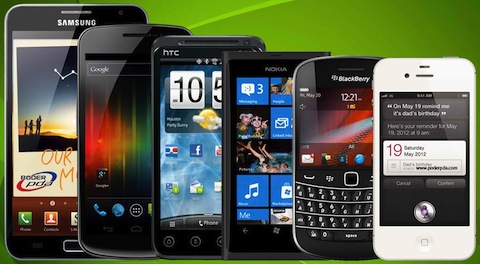
There are a lot of metrics to measure smartphone dominion among different smartphone brands and operating systems. Survey organizations use sales figures, net profit, internet traffic, apps ecosystem, etc., even broken down into different demographics and/or geography, to demonstrate the different systems’ leadership above the rest.

But, really, if you are going to be realistic about it, try going to restaurants, malls, and/or coffee shops around the metro, and observe which smartphones are predominantly in the hands of other people around you, you’ll find that these statistics are not quite accurate.

How To: Sort Folders and Subscriptions Alphabetically in Reeder for Mac?

You can’t!

Not in the settings, not in the available view options, no — nothing.

Users need folders and subscriptions sorted alphabetically because that’s the optimal way to organize them — especially when you switch back and forth between the web-based Google Reader and the Reeder for Mac (Reeder). Google Reader folders and subscriptions are already sorted alphabetically, so getting around favorite feeds is a snap. Reeder’s, on the other hand, are sorted, I believe, by when the feeds were added and the folders created.

There are alternative Google Reader desktop apps for Mac — Caffeinated is a contender. I installed the trial version of this app, and tested until my trial period ran out. Caffeinated organizes folders and subscriptions alphabetically — fine, but it takes a while to update/sync feeds, particularly read and unread items. Font styles and sizes can be modified via Themes, but there are limited choices, as compared to Reeder. Worst of all, the app crashes rather more frequently, and at times when it manifests its erratic behavior, feeds are misplaced in different folders. In short — unreliable.

And I can’t afford paying for another Google Reader app that does almost entirely the same thing.

I posted a review of the Reeder in the Mac App Store, hopefully the developer/s will heed my pique. I also sent an email, tweet, but no response so far.

So I guess I’m stuck with the Reeder for Mac.

GeekyNights on iTunes

GeekyNights is a great podcast/vidcast about all things tech, gadgetry and other geekiness.

The problem is that their uploads to iTunes is so late their videos have become so irrelevant if you follow it from there.

Tech is a fast-paced game that if your latest update is about the release of the recent gadgets that were actually released 3-4 weeks ago, then what you have there is history already.

And you don’t actually expect us to catch your live broadcasts every time, right? And yeah, I can just watch the latest videos from UStream, but then the resolution is bad and I can’t play it on my TV.

Mailbird is Sparrow for Windows

Sparrow is a sleek Email desktop client for Mac. I’ve raved about how awesome it was and how it made a Mac a Mac. That, of course, is besides the fact that Google recently acquired the Sparrow team, which puts the project’s future in question.

I was one of those who wished Sparrow Mail was available in PC as well. Fortunately, Mailbird is here to come.

Currently, it’s not yet available for download and/or testing, but the concept looks promising. It”s going to have the same clean and sleek interface, the things we used to love in Sparrow. On top of that, there will be, according to their website, an open source app community to let app developers develop their own cool apps and/or improve on existing apps.

Personally, I can’t wait for the release of this email client as I use Windows everyday in the office.

When Apple Fanboys Play the Stock Market

When you’re ready to defend Apple even on a field you’re not particularly familiar with, then that what makes you a fanboy.

So, then, why don’t we just keep buying and enjoying Apple products that we learned to love and leave Apple shareholders’ wealth to the Wall Street analysts?

Smart Freedom Plan Updated

Plans and/or promos that you can subscribe to under the Smart Freedom Plan has been updated as of October 21, 2012, particularly Data plans. Now it includes various Always On denominations. Check out their webpage for more info.

Would have subscribed to one of the Always On options, but my Freedom Plan SIM was installed in my iPad, which since it’s not yet jailbroken, it can’t send SMS to complete the subscription. Another way could have been through the Account Management page in the Smart Communications website, but there was no option there for Data Packages, unlike when you’re using a Smart Bro prepaid SIM.

So there, another potential revenue gone for Smart.

Tweetbot for Mac

I am a big fan of Tweetbot for iPhone. There’s no denying I would recommend this app to any iPhone user who wants a more robust Twitter client for their smartphone. A price tag is attached to the app in the iTunes App Store, but the price is well worth it. This app is probably the best Twitter client-app out there available to any platform. Unfortunately, Tweetbot is an iOS-only app, which makes it one of the selling points why I choose the iPhone. Continue reading Tweetbot for Mac

USSD Hack that Reset Samsung Touchwiz Devices

Yugatech:

The web hack is actually a malicious code that is hiding inside a web page and gets triggered when visited using the stock browser (except Google Chrome) of a TouchWiz-based phone. The malicious code then spawns the dialer and enters a bad USSD code with the sole purpose of nuking your device back to its factory default.

Now, if you fell victim to this hack, how you’d probably wish you had iTunes that have your data and media files intact, in this case that you have to restore your phone.

And don’t even get me started with Samsung Kies — one word, UNRELIABLE. In my experience, Samsung Kies did not work half of the time because of drivers not found. This happened to me both in Mac and PC.